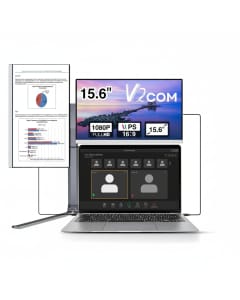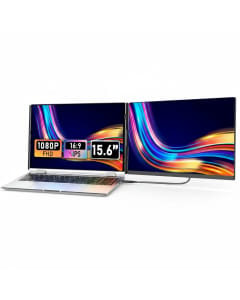
V2COM Products

Create a more productive workspace wherever you go with V2COM laptop screen extenders and portable monitors. Designed for professionals, students, remote workers and content creators, V2COM displays make it easier to work across multiple applications without repeatedly switching between tabs and windows.

Shop V2COM products online in Qatar from JS.QA and explore portable dual-screen, triple-screen and quad-screen solutions made for flexible work at home, in the office or while travelling.

Transform Your Laptop into a Multi-Screen Workspace

A V2COM laptop screen extender adds one or more external displays to your existing laptop setup. This gives you additional screen space for emails, spreadsheets, presentations, video meetings, creative software and other everyday applications.

Instead of working from a fixed desktop monitor, V2COM portable displays allow you to carry a multi-screen workstation between your home, office, university, client meetings and business trips.

Explore V2COM Screen Solutions Available on JS.QA

V2COM Dual-Screen Laptop Extenders

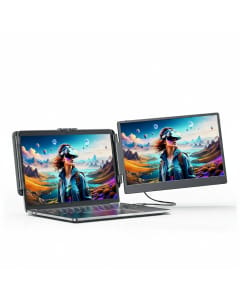
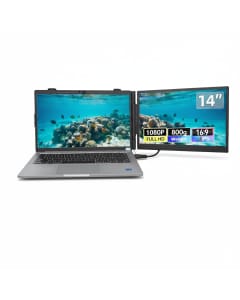
V2COM dual-screen extenders add a second display beside your laptop screen. They are ideal for users who need more room for everyday multitasking without building a permanent desktop setup.

  • View emails while working on documents or spreadsheets
  • Keep reference material open beside your main application
  • Attend video meetings while taking notes on another screen
  • Use an extended display for presentations, study or entertainment
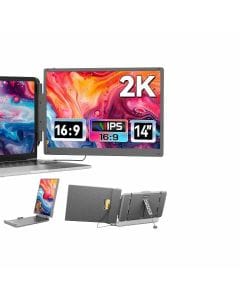
V2COM Triple-Screen Laptop Extenders

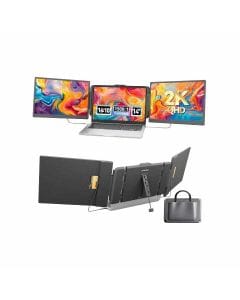
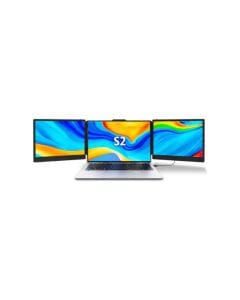
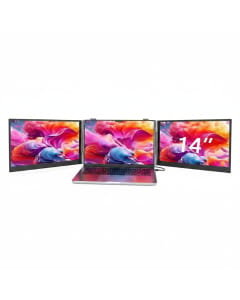
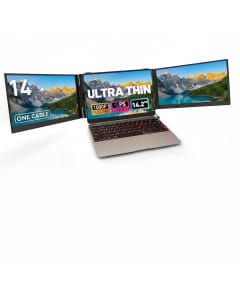
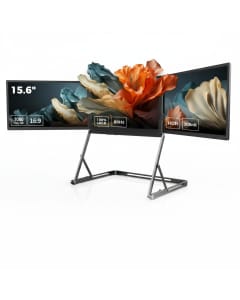
Triple-screen configurations combine your laptop display with two additional screens. This creates a wider digital workspace for users who regularly manage several applications at the same time.

  • Suitable for reporting, data analysis and financial work
  • Useful for coding, research and project management
  • Helps creators organise editing tools, previews and timelines
  • Reduces the need to constantly minimise and reopen windows

V2COM Quad-Screen Laptop Extenders

Selected V2COM quad-screen solutions can add three external displays to a compatible laptop. These models are designed for demanding multi-screen workflows where several dashboards, documents or applications must remain visible together.

  • Expanded screen space for complex professional workflows
  • Suitable for dashboards, monitoring and side-by-side comparisons
  • Portable alternative to a fixed multi-monitor workstation
  • Foldable designs available on selected models

V2COM Portable Monitors

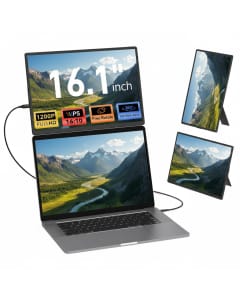
The V2COM range on JS.QA also includes standalone portable monitors that can be used as a second screen for compatible laptops and other supported devices. Options listed on the store include screen sizes ranging from approximately 14 inches to 16.1 inches.

  • Slim and portable designs for mobile working
  • USB-C and HDMI connectivity on selected models
  • Built-in or adjustable stands on selected displays
  • Landscape and portrait viewing support on selected models

Key Features of V2COM Portable Displays

Full HD Display Quality

Many V2COM monitors listed on JS.QA feature Full HD 1080p IPS displays, providing clear text, detailed images and wide viewing angles. Selected models also offer a 1920 x 1200 resolution with a 16:10 aspect ratio for additional vertical screen space.

Flexible Multi-Screen Productivity

Extend your desktop across multiple screens and organise applications according to your workflow. You can keep your primary task on the laptop while using the additional displays for communication, research, reference material or supporting tools.

Portable and Travel-Friendly Designs

V2COM screen extenders are designed to help users build a productive workspace beyond the traditional office. Slim frames, folding mechanisms, detachable components and portable stands are available across selected products.

USB-C and HDMI Connectivity

Depending on the model, V2COM portable monitors may support USB-C, USB-A or HDMI connections. Some models offer convenient single-cable connectivity, while others may require more than one connection for video transmission and power.

Adjustable Viewing Options

Selected V2COM models include built-in stands, adjustable screen angles, height adjustment, automatic screen rotation or 360-degree rotation. These features allow users to position the screen according to their workspace and viewing requirements.

Plug-and-Play Setup on Selected Models

Several V2COM screens available on JS.QA offer plug-and-play operation with compatible devices. This makes it possible to expand your workspace without a complicated permanent installation.

Who Should Use a V2COM Laptop Screen Extender?

  • Business professionals: Manage reports, presentations, emails and meetings across separate screens.
  • Remote and hybrid workers: Create a larger workspace at home, in shared offices or while travelling.
  • Students and researchers: Keep lectures, notes, references and assignments visible together.
  • Designers and content creators: Separate previews, editing controls, files and communication tools.
  • Developers and analysts: View code, documentation, dashboards and results without repeatedly changing windows.
  • Frequent travellers: Carry a multi-screen workstation without depending on fixed external monitors.

How to Choose the Right V2COM Screen Extender

1. Decide How Many Screens You Need

Choose a dual-screen solution for regular multitasking, a triple-screen setup for more complex workflows or a quad-screen extender when you need several applications visible at the same time.

2. Check Your Laptop Size

V2COM screen extenders are designed for specific laptop size ranges. Models listed on JS.QA support different laptop sizes, including options intended for approximately 12-inch to 17.3-inch laptops. Always review the individual product specifications before ordering.

3. Check Your Laptop Ports

Confirm whether your laptop has a full-featured USB-C port that supports video output, an HDMI port or the other connections required by the selected model. A USB-C port that only supports charging or data may not transmit video.

4. Confirm Device and Operating-System Compatibility

Compatibility can differ between V2COM models. Check the individual product page for supported Windows, macOS, Android, gaming-console or other device connections.

5. Review MacBook Chip Compatibility

Some base-model Apple silicon MacBooks may require a compatible one-cable model, signal-conversion solution or software-based display technology to operate more than one external screen. Review the product requirements carefully before choosing a multi-screen extender.

V2COM Portable Monitors for Work, Study and Travel

Whether you are building a compact home office, preparing for a business trip or improving your daily laptop setup, V2COM portable monitors offer a flexible alternative to traditional desktop displays.

Their multi-screen designs can help create a more organised workspace for productivity, online learning, presentations, creative projects and entertainment. The right configuration depends on your laptop size, available ports, operating system and the number of screens required.

Buy V2COM Products Online in Qatar from JS.QA

Explore the latest V2COM laptop screen extenders and portable monitors in Qatar on JS.QA. Compare dual-screen, triple-screen, quad-screen and standalone portable display options to find a model that matches your mobile workspace.

Review each product page for current pricing, availability, delivery information, laptop-size requirements and connection compatibility before completing your purchase.

Frequently Asked Questions

What is a V2COM laptop screen extender?

A V2COM laptop screen extender is a portable display solution that adds one or more external screens to a compatible laptop. It allows users to spread applications across a larger digital workspace.

Can I use a V2COM monitor with any laptop?

Compatibility depends on the laptop size, operating system, graphics capabilities and available ports. Check the specifications of the selected V2COM model before purchasing.

Does a V2COM screen extender require software?

Some models offer direct plug-and-play connectivity, while certain multi-screen configurations may require software or a signal-conversion solution. Requirements vary by model and laptop.

Can V2COM monitors connect through USB-C?

Many V2COM monitors support USB-C connectivity. However, the laptop's USB-C port may need to support video transmission or DisplayPort Alt Mode. A charging-only USB-C port may not display video.

Are V2COM screen extenders suitable for travel?

Yes. Portable and foldable designs are available across the V2COM range, making them suitable for remote workers, business travellers and users who regularly change work locations.

Where can I buy V2COM products in Qatar?

You can shop for V2COM laptop screen extenders and portable monitors online in Qatar through JS.QA. Product availability and delivery times are displayed on the respective product pages.

Mobile Number Without Country Code i.e 9898989898
Do You Have an Account? Login
Enter One Time Password
One Time Password (OTP) has been sent to your mobile,please enter the same here to register.
Time left =
Mobile Number Without Country Code i.e 9898989898
Enter One Time Password
One Time Password (OTP) has been sent to your mobile,please enter the same here to forgot password.
Time left =
Search engine powered by ElasticSuite © Copyright Jumbosouq 2024. All rights reserved